
Enhancing your virtual fieldtrips with interactive field guides
With the integrated web browser and HTML editor in VRGS it is now possible to take traditional field guides and link them to interactive virtual fieldtrips.
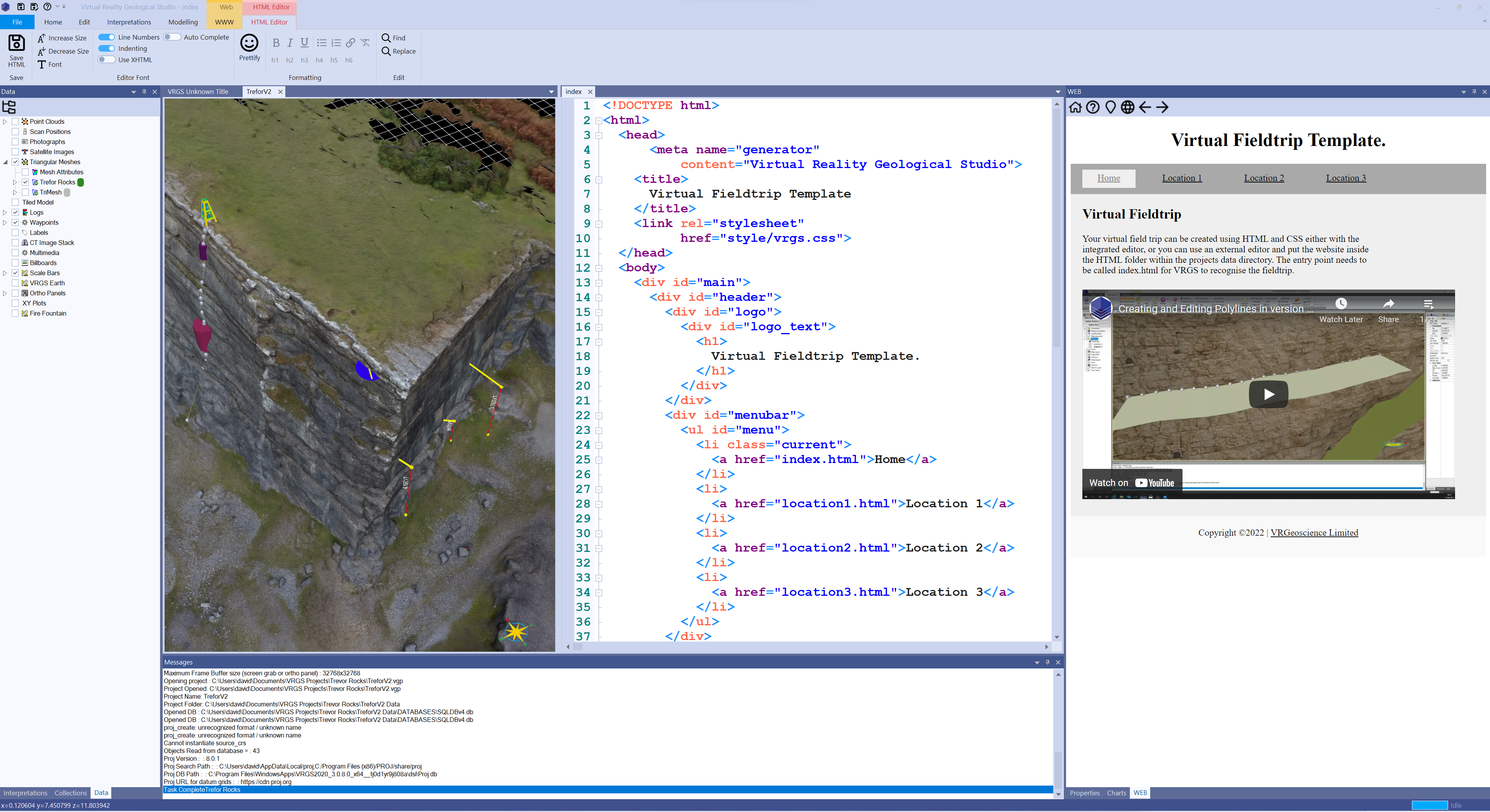
The incorporation of digital outcrops in the classroom presents a multitude of exciting possibilities for enriching the teaching and learning experience. When combined with real-world field trips, digital outcrops can serve as valuable tools for pre-field trip planning, familiarisation, and post-field trip reinforcement of learning. Additionally, virtual field trips offer a remarkable opportunity to explore outcrops that may be otherwise inaccessible due to limitations such as high costs, time constraints, safety concerns, or environmental considerations associated with travel. Just like traditional field guides, a field guide is an integral part of the virtual field trip experience, allowing learners to absorb and review information at their own pace.
With the advanced features of VRGS, including an integrated web browser and HTML editor, it is now possible to seamlessly connect traditional field guides with interactive virtual field trips. By utilising special hyperlinks that can be copied and pasted from viewpoints and objects within VRGS, you can establish links between your field trip text and specific locations and interpretations within the digital outcrop model.
If you possess familiarity with HTML and CSS, you have the freedom to create visually appealing content using the integrated HTML editor or an external editor of your choice. Simply place your website in the HTML sub-folder of the project data folder. Alternatively, if HTML is unfamiliar to you, you can utilise pre-defined templates to construct your field guide. The field guide preview is conveniently displayed in the web panel of VRGS and provides real-time updates when you save your changes. This feature enables you to instantly visualise the final version of your field guide. It's important to note that the HTML editor is available in VRGS version 3.0 and above.