From Desktop to VR: Seamless Transition in VRGS
In the realm of geoscience, the ability to visualise and interpret geological data in a three-dimensional environment is revolutionising the way we study and understand the Earth's subsurface. Here we delve into the unique capabilities of both the desktop and VR modes in VRGS and explore how the software's flexibility is enhancing the user experience and transforming the way we interact with geological data.

By David Hodgetts
Published On 2023-09-13
From Desktop to VR: Seamless Transition in VRGS

From Desktop to VR: Seamless Transition in VRGS
In the realm of geoscience, the ability to visualise and interpret geological data in a three-dimensional environment is revolutionising the way we study and understand the Earth's subsurface. At the forefront of this revolution is Virtual Reality Geological Studio (VRGS), a powerful software solution designed to bring geological data to life.
VRGS offers a comprehensive suite of tools and features that allow geoscientists to import, visualise, interpret, and analyse 3D geological datasets. One of the key features of VRGS that sets it apart from other geological software is its flexibility. With VRGS, users can effortlessly switch between a traditional desktop interface and an immersive Virtual Reality (VR) environment, depending on their needs and the task at hand. This seamless transition between desktop and VR modes is not just a novel feature—it's a game-changer in geological studies.
In this blog post, we will delve into the unique capabilities of both the desktop and VR modes in VRGS and explore how the software's flexibility is enhancing the user experience and transforming the way we interact with geological data.
The Desktop Experience
The desktop mode in VRGS is designed to provide a comprehensive and intuitive interface for geoscientists to interact with their geological data. This mode offers a wide array of tools and features that allow users to import, visualise, interpret, and analyse 3D geological datasets directly on their computer screens.
Once the data is imported, users can utilise a suite of interpretation tools designed to match their needs. From mapping bedding, faults, and fracture attitudes using the orientation tool, to creating and visualising ultra-high-resolution models in 3D, the desktop mode provides a robust platform for detailed geological studies.
The desktop mode also excels in its ability to handle large datasets. Thanks to its powerful processing capabilities, users can work with sizable files without compromising on performance. This is particularly beneficial for tasks that require meticulous precision, such as volume calculations or distance measurements.
The desktop mode is not just about functionality however, it's also about accessibility. With its user-friendly interface and intuitive design, even those new to geological software can quickly get up to speed and start making meaningful interpretations of their data.
The VR Experience
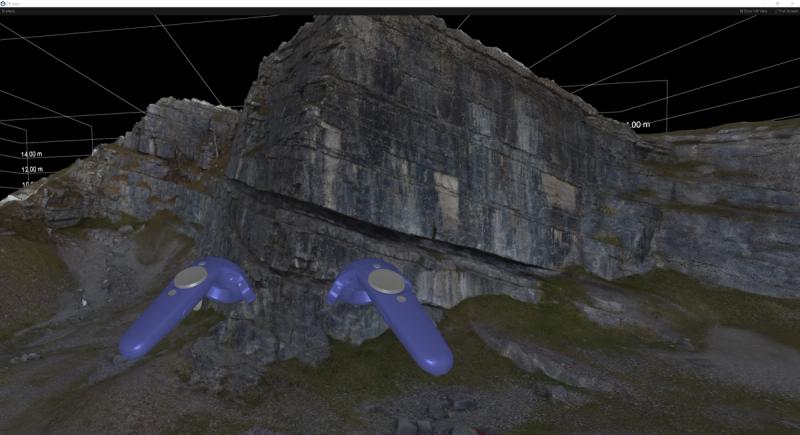
The VR mode in VRGS takes geological studies to a whole new level, offering an immersive, interactive experience that brings geological formations to life. This mode is designed to provide a realistic representation of geological data, allowing users to explore and interact with their models in a virtual environment.

VRGS being run in VR mode.
In addition to its visual capabilities, the VR mode also offers a range of interactive tools. Users can navigate the virtual landscape, zoom in on specific areas, and even manipulate the model to view it from different angles. This interactivity enhances the user's understanding of the geological data and allows for more detailed and accurate interpretations.
In data validation and error checking, VR provides an immersive environment that allows users to closely inspect geological models and identify any anomalies or errors in the data. This can enhance the accuracy of geological studies and ensure the reliability of the data.
In understanding geological scale, VR offers a true sense of scale that is often difficult to grasp on a traditional desktop interface. This can provide a more accurate understanding of the size and spatial relationships of geological formations, enhancing the realism and depth of geological studies.
Both VR and Desktop modes support multiuser collaboration, making it an excellent tool for team-based projects and educational settings. Multiple users can explore the same virtual landscape simultaneously, discuss their findings in real-time, and collaborate on interpretations.
The VR mode in VRGS, with all its advanced features, is designed to be as user-friendly as the desktop mode. Transitioning from desktop to VR is seamless, and users can easily switch between the two modes depending on their needs.
Transitioning Between Desktop and VR
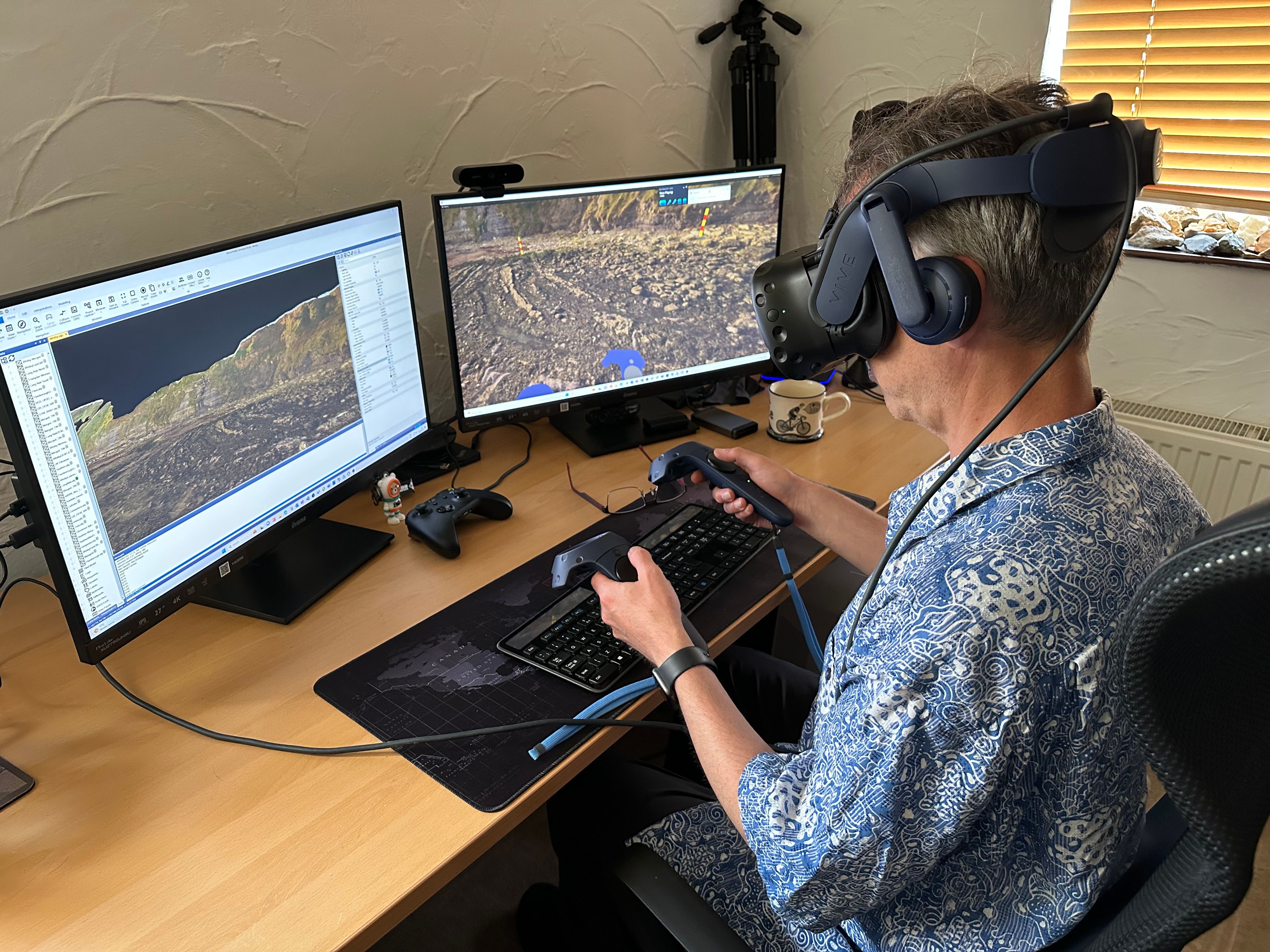
Transitioning between modes in VRGS is a straightforward process. With just a few clicks, users can switch from viewing and interpreting their geological data on a traditional desktop interface to exploring their models in an immersive VR environment, and vice versa. This ease of transition means that users can quickly adapt to changing needs or objectives, whether they're conducting detailed analyses on the desktop or engaging in interactive exploration in VR.


The VR Menu in VRGS
The seamless transition between desktop and VR in VRGS greatly enhances the user experience. By offering two distinct yet complementary modes of interaction, VRGS allows users to approach their geological data from different perspectives. The desktop mode offers a comprehensive suite of tools for detailed analysis and interpretation, while the VR mode provides an immersive, interactive experience that brings geological data to life.
Real-world Applications
The seamless transition between desktop and VR modes in VRGS has a wide range of real-world applications, enhancing geological studies in various contexts.
In the realm of academic research, this flexibility allows researchers to conduct detailed analyses on their desktops and then switch to VR mode to present their findings in a more engaging and interactive way. This can be particularly beneficial when dealing with complex geological formations, as the immersive VR environment can help to visualise and understand these complexities in a way that traditional 2D representations cannot.
In the oil and gas industry, geoscientists can use the desktop mode to map bedding, faults, and fracture attitudes, and then switch to VR mode to explore these features in a virtual outcrop. This can provide valuable insights for exploration and production activities, helping to identify potential reservoirs and understand their characteristics.
In geoscience education, the transition between desktop and VR modes can enhance the learning experience. Students can use the desktop mode to learn about geological concepts and then apply this knowledge in a virtual field trip using the VR mode. This hands-on experience can help to reinforce learning and provide a deeper understanding of geological processes.
In environmental monitoring, the ability to switch between desktop and VR modes can aid in the assessment and management of natural resources. For instance, environmental scientists can use the desktop mode to analyse data from Lidar scans or photogrammetry, and then switch to VR mode to visualise the landscape and assess potential environmental impacts.
Conclusion
The seamless transition between desktop and VR modes in VRGS is more than just a feature—it's a testament to the software's commitment to flexibility, user experience, and innovation. By offering two distinct yet complementary modes of interaction, VRGS is revolutionising the way we approach geological studies.
The desktop mode provides a comprehensive suite of tools for detailed analysis and interpretation, while the VR mode offers an immersive, interactive experience that brings geological data to life. This flexibility allows users to adapt to changing needs or objectives, enhancing both the efficiency and the depth of their geological studies.
Real-world applications of this seamless transition are already making a significant impact in various fields, from academic research and the oil and gas industry to geoscience education and environmental monitoring. As these examples show, the ability to switch between desktop and VR modes can enhance understanding, facilitate collaboration, and provide new insights into geological data.
Looking towards the future, we anticipate that the transition feature in VRGS will continue to evolve and improve, offering even greater flexibility and user experience. As technology advances, we can expect to see more integration between desktop and VR modes, making the transition even more seamless and the exploration of geological data even more immersive.
In conclusion, the interplay between desktop and VR modes in VRGS is not just shaping the present of geological studies—it's shaping the future. As these modes continue to advance and become more streamlined, they will undoubtedly continue to revolutionise the way we study and interact with geology.
Latest Articles